Shopify commerce · Google Ads · exhibition design
BlankInspiration
Csaba started Google Ads slowly to test another sales channel for Blank Inspiration. From January to June 2026, the account reported $51,043.72 in purchase value on $13,299.44 in ad spend. Kaku also built the live Shopify canvas store and designed a separate exhibition platform.
- Google Ads purchase ROAS · Jan–Jun 2026
- 3.84×
- Current status
- Built + designed
- Discipline
- Shopify Commerce · Google Ads · Exhibition Product Design
- Status
- Storefront built & live · exhibition design produced, not approved or developed
- Contribution
- Google Ads management · Shopify storefront development · Product configurator and cart UX · Product presentation on desktop and mobile · Exhibition concept and page structure · Responsive UI and design system · Final Figma pages
00 / Project brief
One store to buy the canvas. One platform to collect the art.
The canvas store needed to make construction, frame, and 27 sizes easy to compare, then carry the exact selection into the cart. The exhibition project had a different job: help collectors understand artists, releases, originals, prints, and availability. One is live; the other exists as an unapproved design direction.
- 01
Rebuilt the product flow so the choices and price stayed together
- 02
Added a clear request route for custom sizes
- 03
Carried the exact configuration into the cart
- 04
Designed the exhibition platform around artists, timed releases, originals, and prints
Blank / two parts of the same brand
The store is live. The exhibition is designed.
One live store. One exhibition design.
Google Ads results cover 1 January–30 June 2026. The Shopify store is live. The exhibition design was not approved or developed.
- Purchase ROASOutcome · 01
- 3.84×
- Google Ads · 1 January–30 June 2026
- Attributed purchase valueOutcome · 02
- $51.0k
- $51,043.72 USD reported by Google Ads
- Ad spendOutcome · 03
- $13.3k
- $13,299.44 USD for the same reporting period
- Shopify storefrontStatus · 04
- Live
- Artists can configure a standard canvas and check the same choices in the cart
- Standard sizesDelivered · 05
- 27
- Customers can select a standard size without sending an inquiry
- Exhibition page typesDelivered · 06
- 11
- The planned pages take collectors from finding an artist through originals, prints, and the archive
02 · Google Ads results
Test Google Ads alongside Meta
Blank was already spending $600 per day on Meta ads when we started Google Ads. We began slowly to test another source of sales.
Csaba managed Google Ads for Blank Inspiration. The account used Search campaigns for brand and non-brand searches, plus Performance Max campaigns.
From 1 January to 30 June 2026, Google Ads reported $51,043.72 in attributed purchase value and $13,299.44 in spend. The calculated purchase ROAS was 3.84×: about $3.84 in purchase value for each $1 spent on ads.
These figures cover the full account for the stated period. The source and reporting limits are listed at the end of this case study.
The live storefront
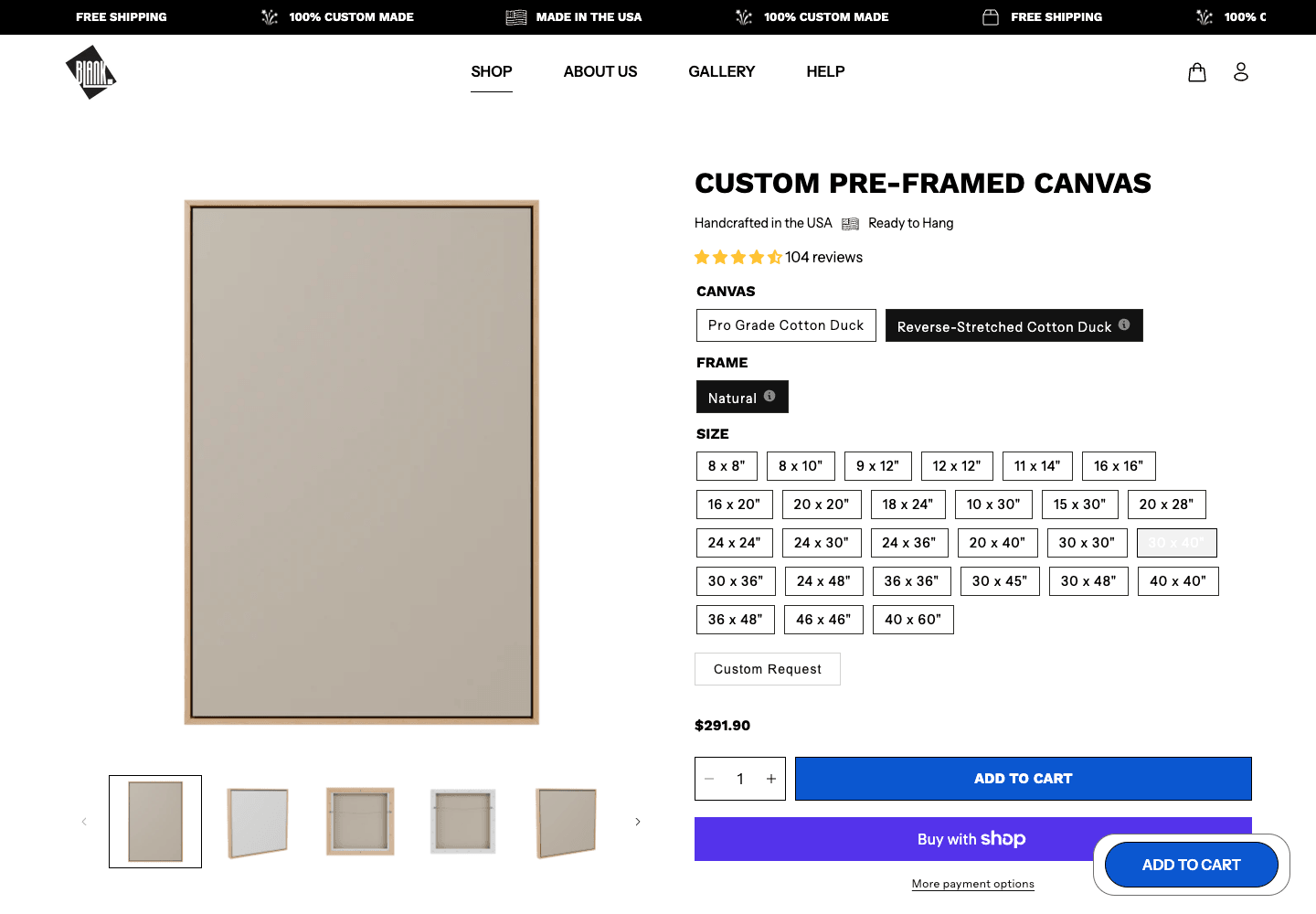
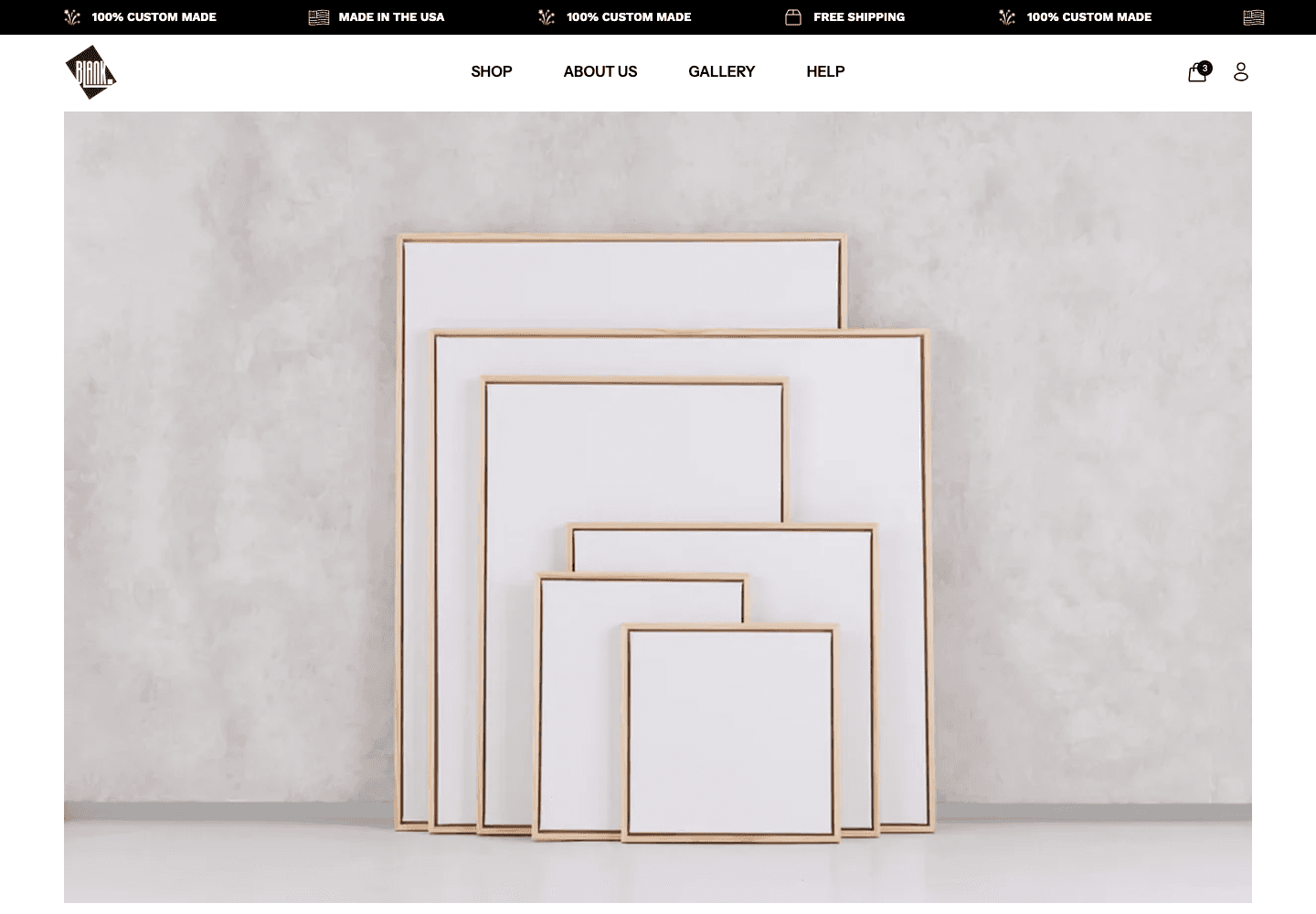
Customers can choose the canvas, frame, and size, see the price, and confirm the same details in the cart.
A01 · Product configuration
Put every choice in a clear order
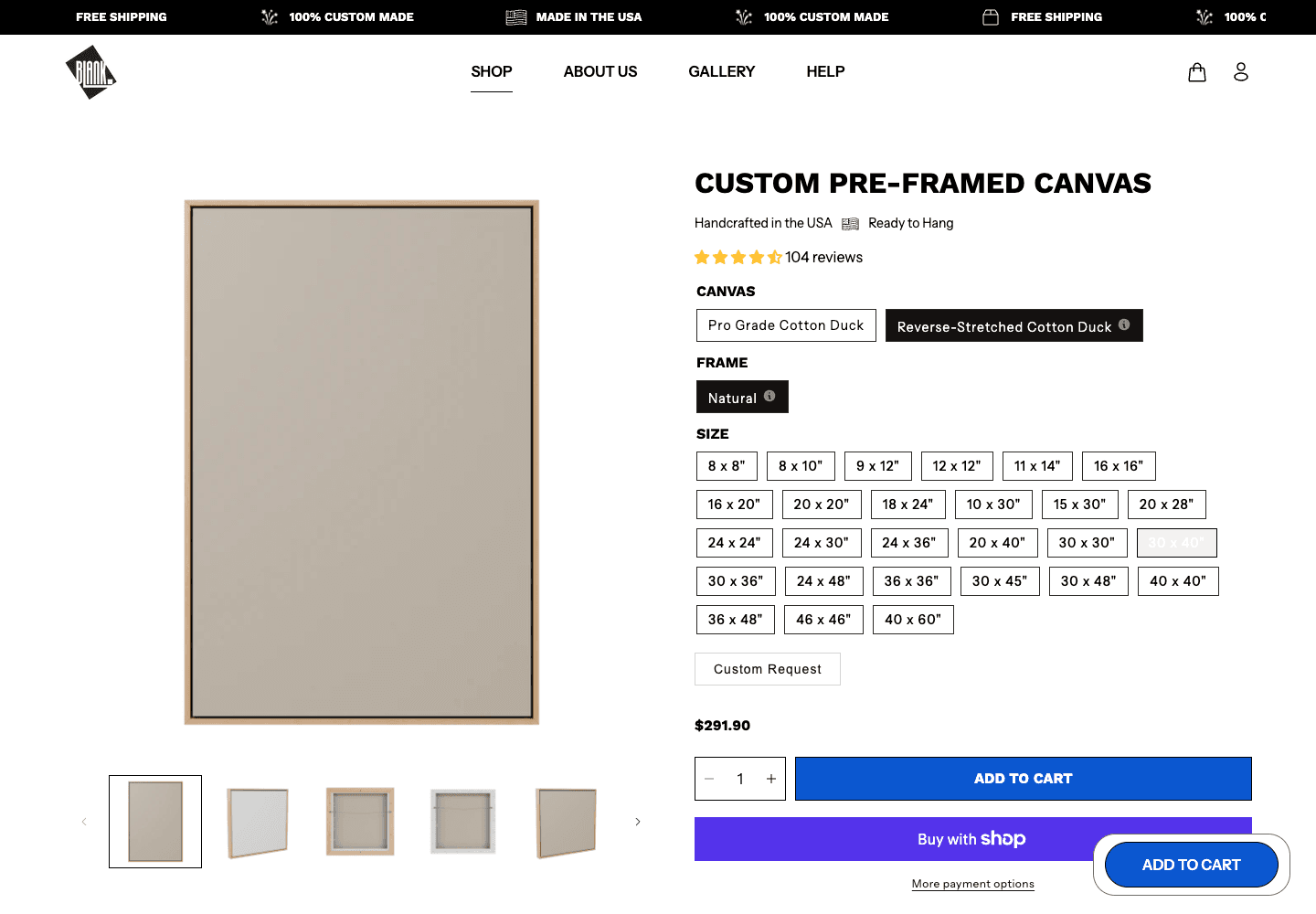
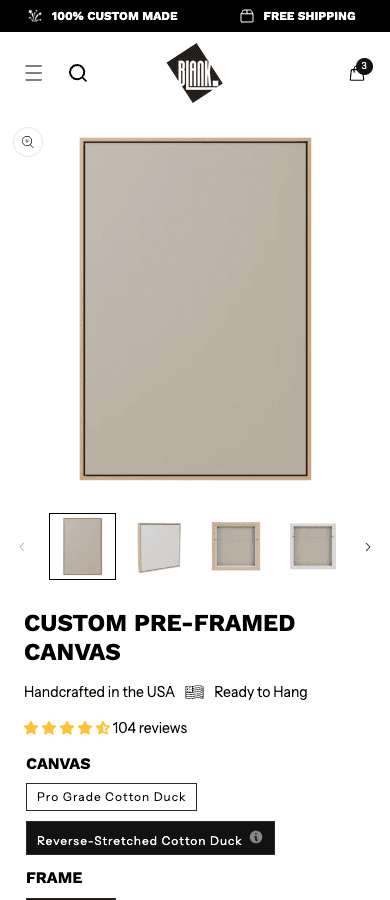
Customers choose the canvas construction, frame, and size in one sequence. The price updates beside the purchase button, so they can see exactly what they are buying before adding it to the cart.
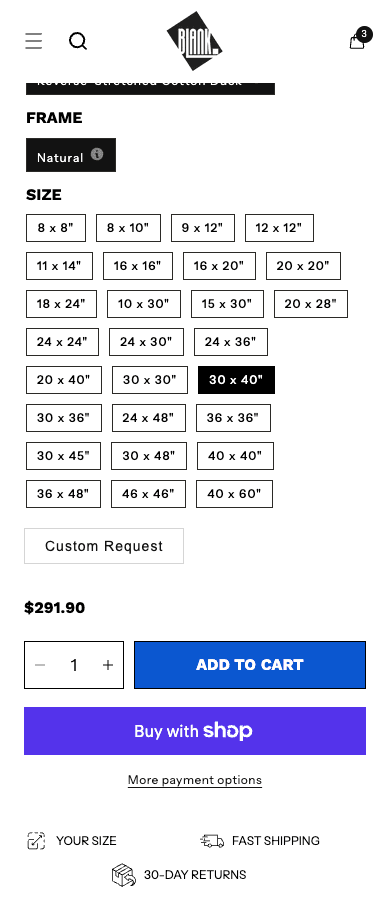
On mobile, the same choices remain visible instead of being buried in a dropdown. The next action stays close to the current selection.
- Construction, frame, and size in one order
- Twenty-seven standard sizes that are easy to compare
- The current price beside the purchase action
A02 · Range and exceptions
Cover the common sizes, then give custom work a clear route
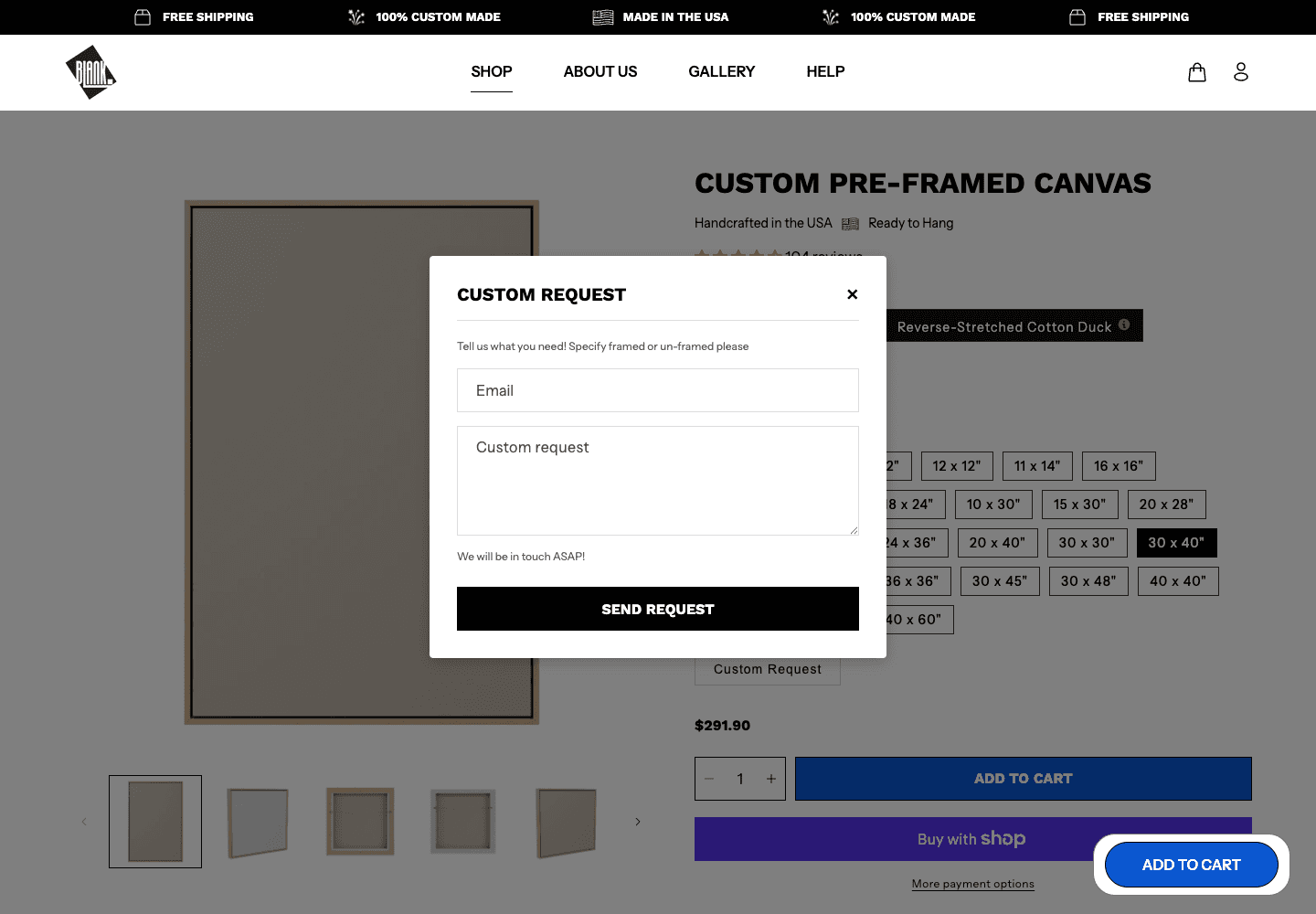
The 27 standard sizes are easy to scan and compare. Customers who need something else can open a custom request without leaving the product page.
They can enter the dimensions, contact details, and a note instead of guessing at a close-enough size or abandoning the order.
- Twenty-seven standard sizes for self-serve orders
- The current product and price stay visible
- A request form for dimensions outside the range
A03 · Finished work
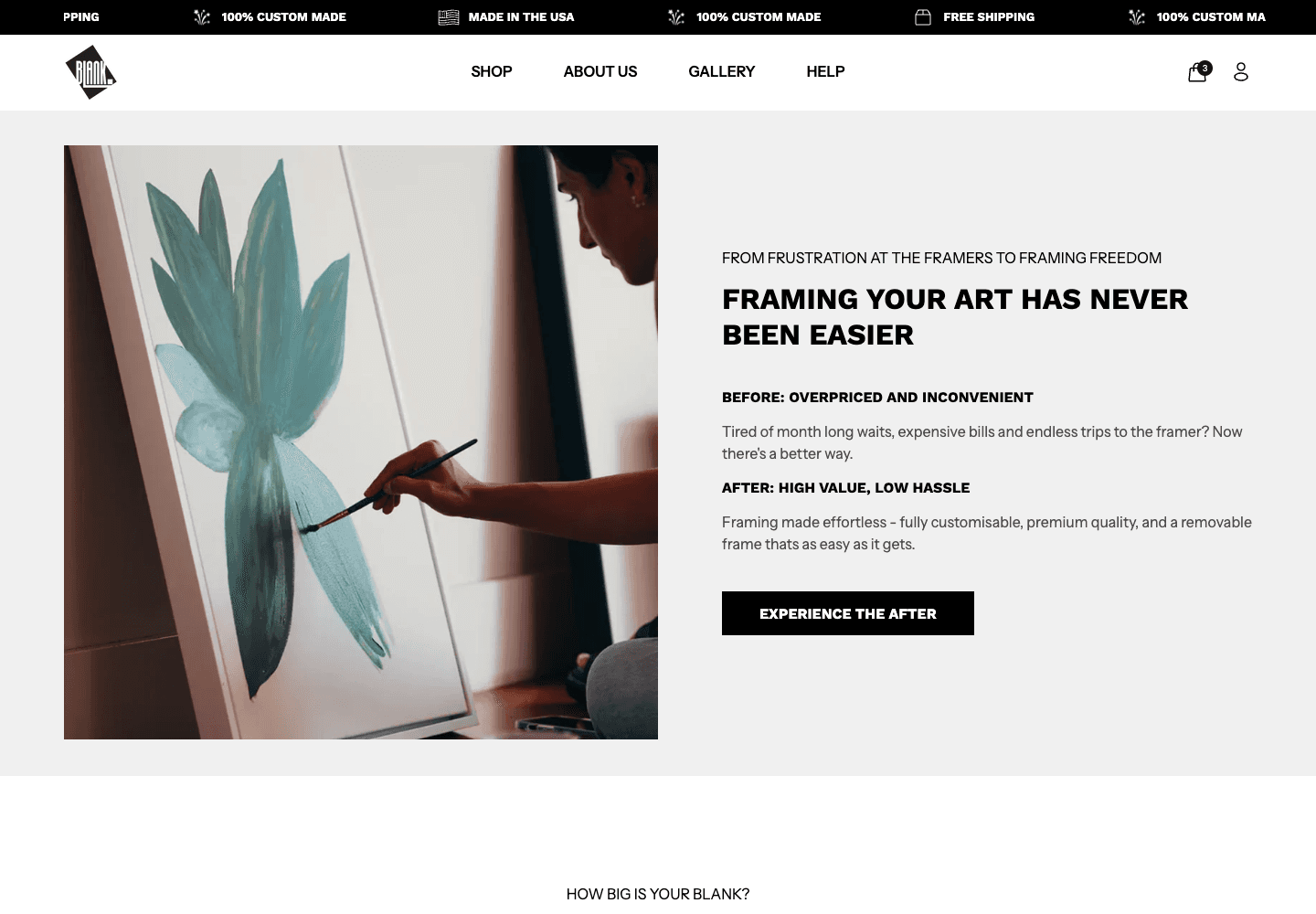
Show artists what the finished piece can look like
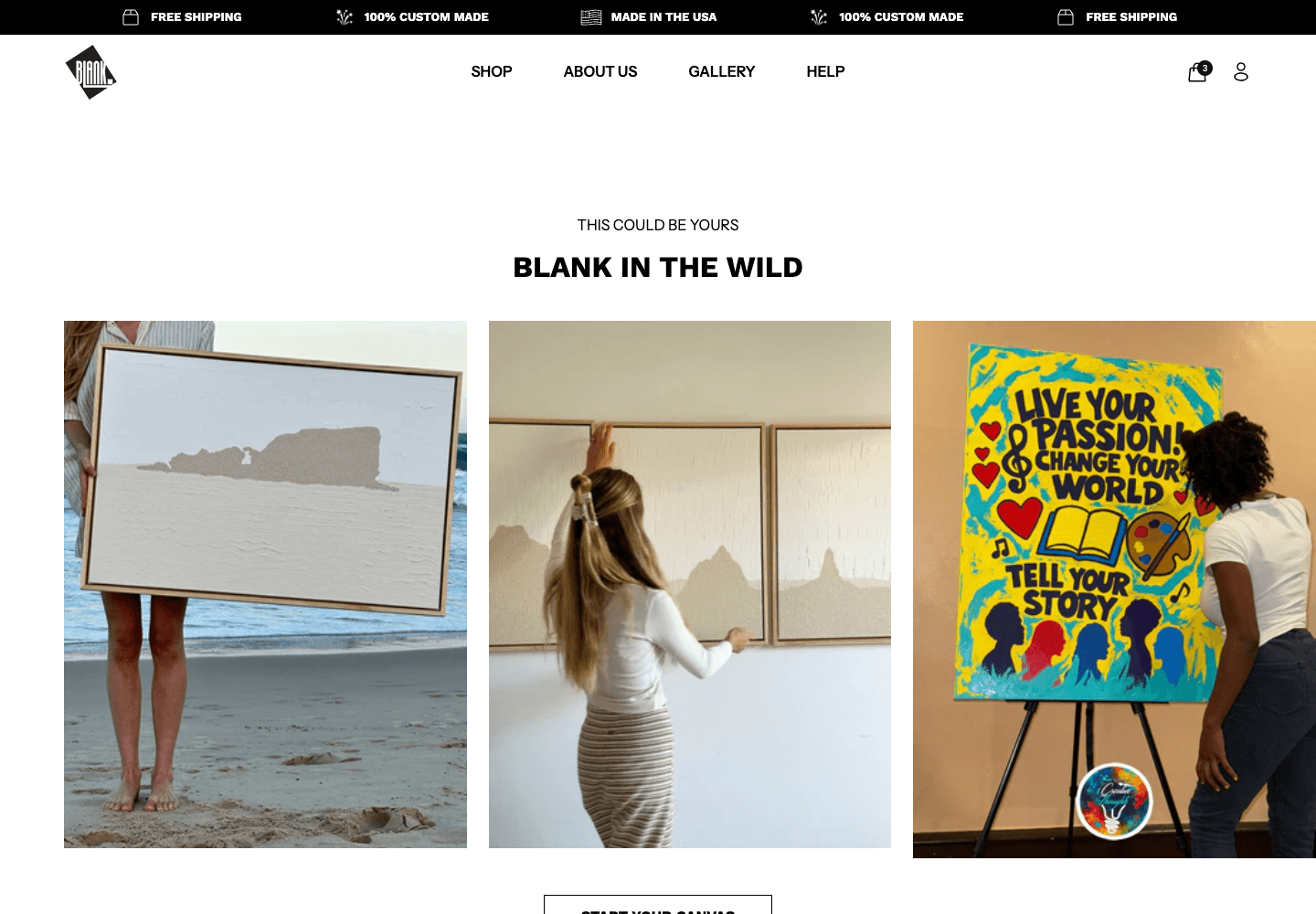
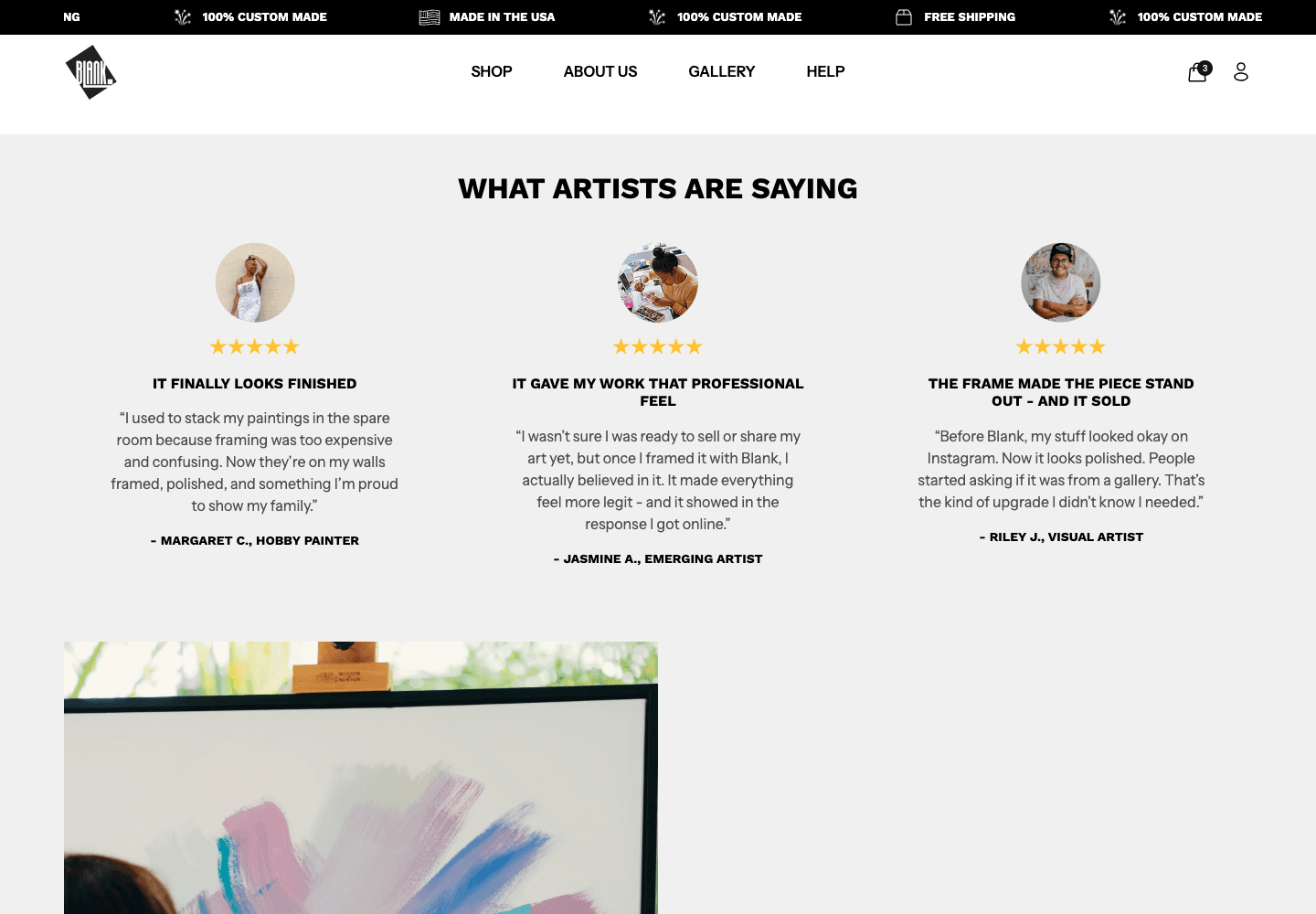
The product page explains what to order. The homepage shows why it is worth ordering. Finished artwork, customer examples, and reviews make the material and framing easier to judge before buying.
This moves the conversation from canvas specifications to the result the customer wants: a finished piece that is ready to hang, show, or sell.
A04 · Cart completion
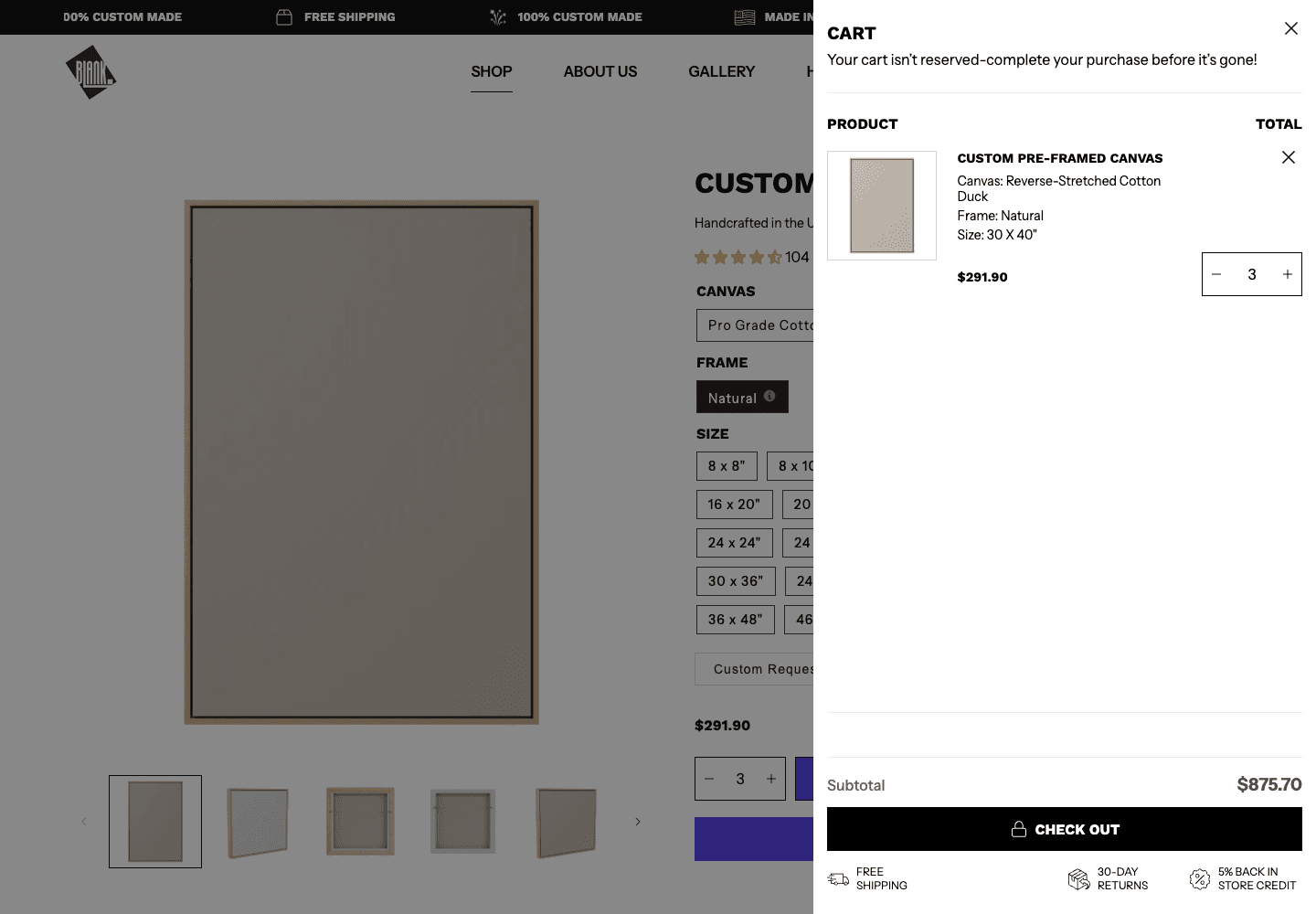
Repeat the exact order in the cart
After add to cart, the drawer repeats the construction, frame, size, quantity, and price. Customers can check the order without going back to the product page.
That matters because size changes the price. The cart gives them one last clear check before checkout.
The exhibition platform
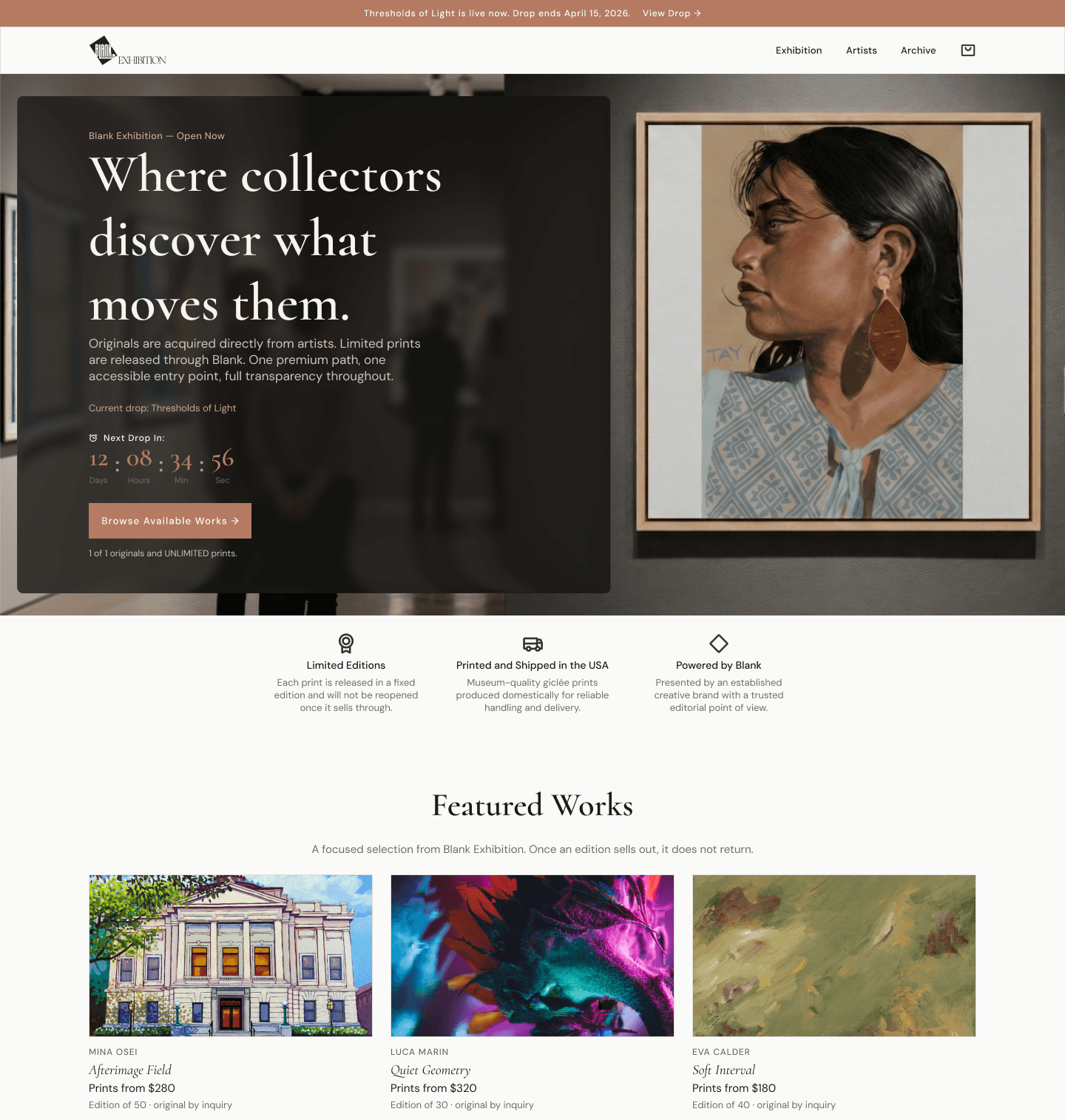
A separate platform for discovering artists, following timed releases, and choosing between an original, a print, or an inquiry.
B01 · Existing reference
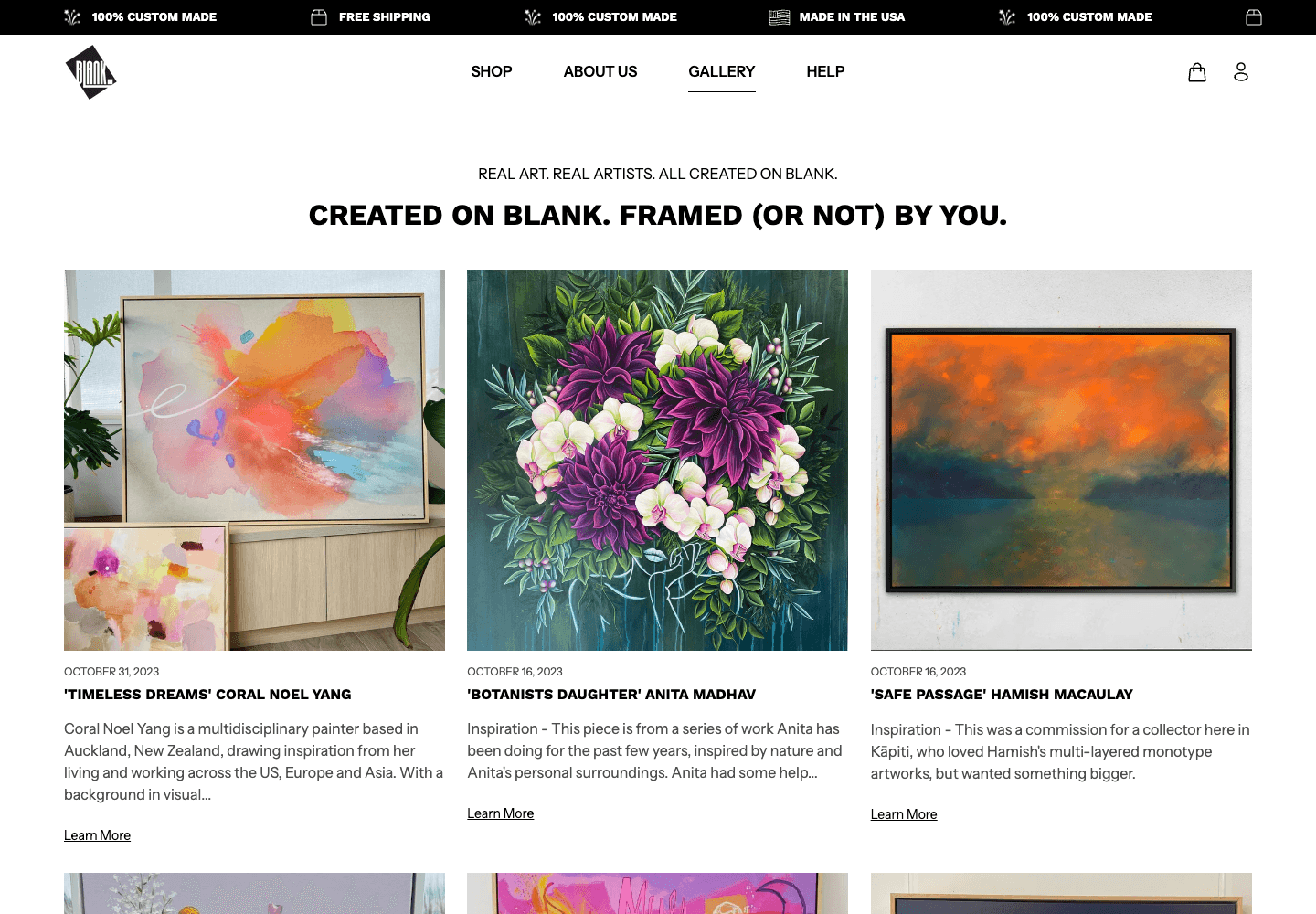
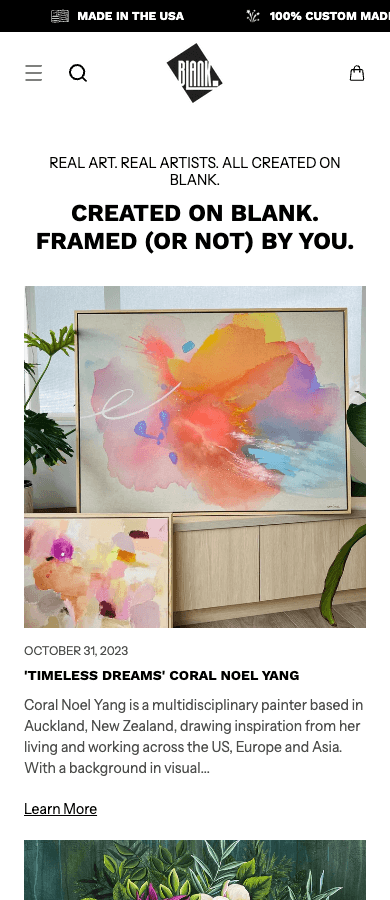
The old gallery was a blog. The new project needed a clear path for collectors
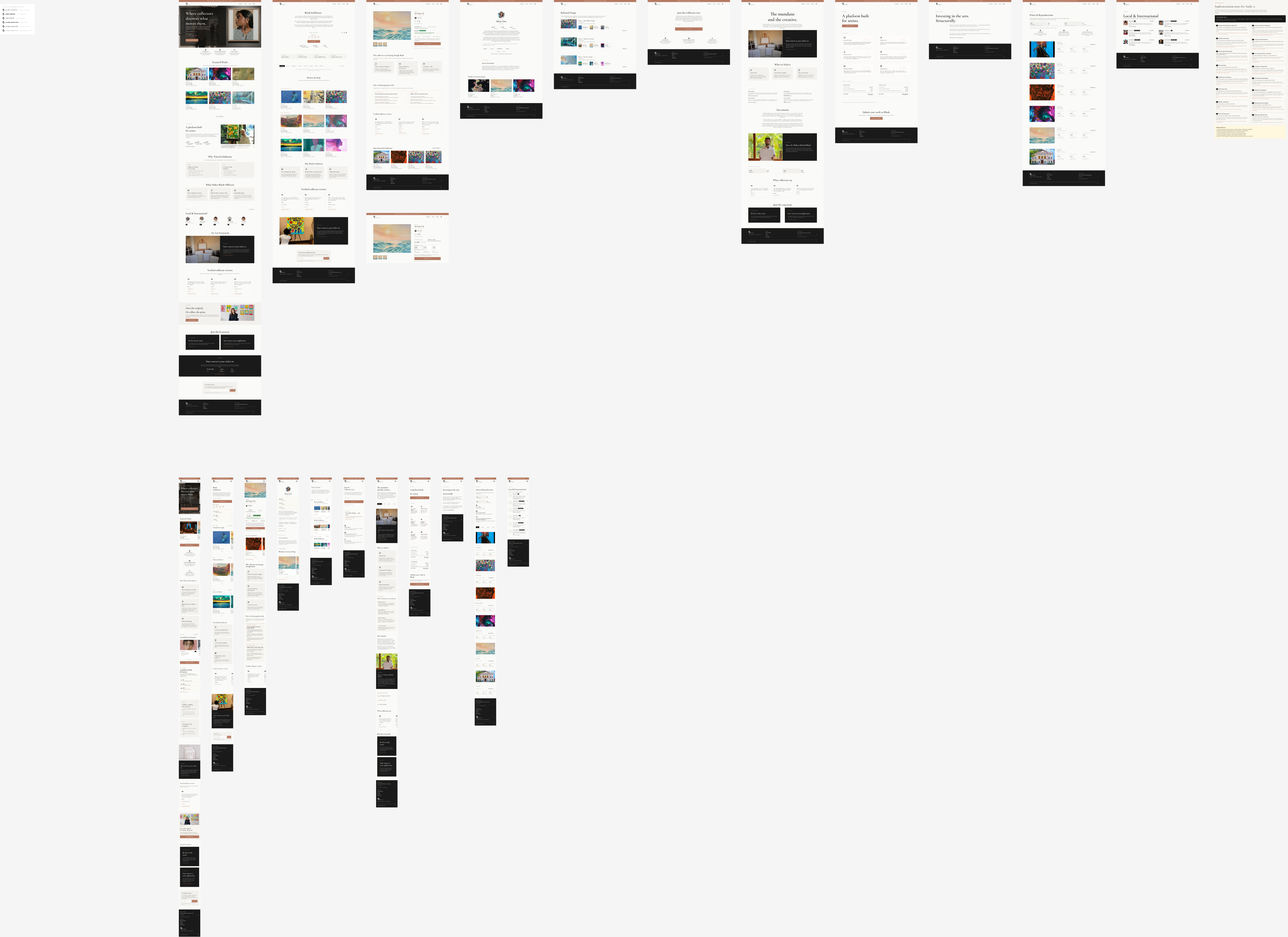
Blank’s existing exhibition content was a simple Shopify blog: artwork cards, dates, and individual stories. It documented past work, but it did not support releases or buying decisions.
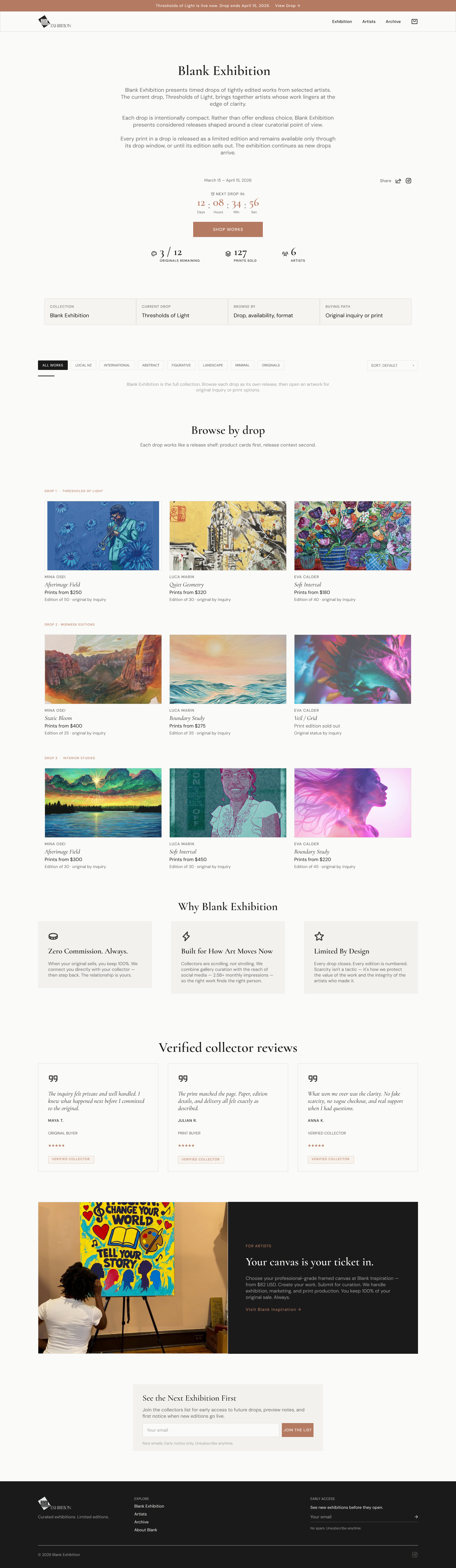
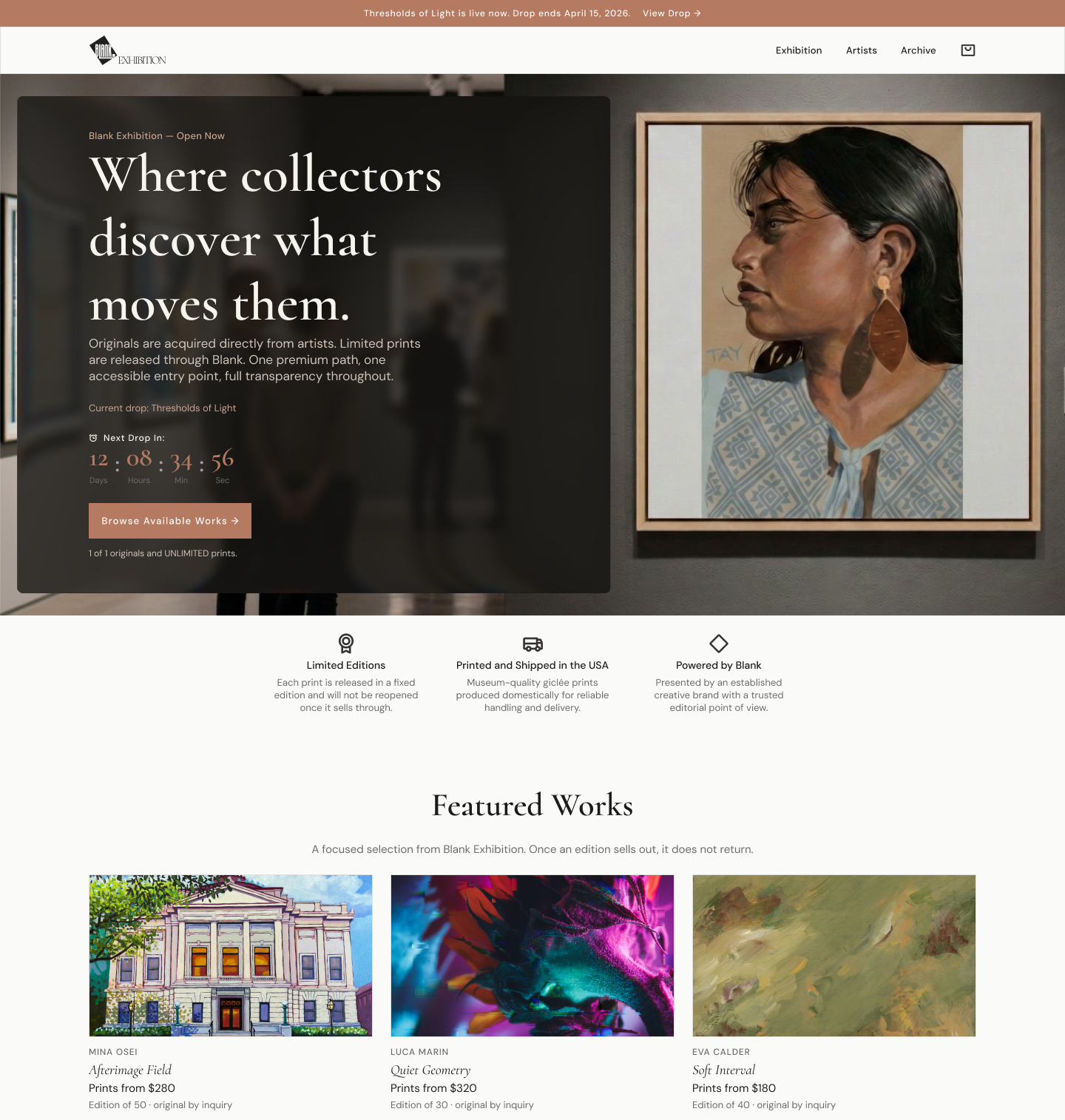
Kaku designed a separate platform around artists, timed drops, originals, prints, inquiries, and an archive. It is complete in Figma and has not been developed.
B02 · Platform model
Organize the work around releases, not an endless feed
Each exhibition becomes a timed drop with a fixed group of works. Collectors can see availability, edition details, artist context, and sold-out status before deciding between an original, a print, or an inquiry.
This gives each release a beginning and an end, and makes scarcity understandable without making people hunt through the site.
- A clear opening and closing point for each release
- Availability and edition details beside the work
- Direct paths to an original, print, or inquiry
B03 · Page consistency
Use the same buying cues on every page
Artist, artwork, archive, collector, and print pages use the same order for availability, edition details, price, and next action. Once a collector understands one page, the rest behave as expected.
Desktop and mobile were designed separately enough to keep that order clear. Development gets defined content, controls, and purchase paths instead of a desktop file squeezed into a phone.

What is live now.
Source: Blank Inspiration US Google Ads account report, checked on 2 October 2026. The reporting period is 1 January–30 June 2026 in the account’s Pacific Time zone. Purchase conversion rows total $51,043.72 USD. Total account cost is $13,299.44 USD. Purchase value divided by cost gives 3.84× ROAS. This calculation excludes $933.00 in conversion value from cart actions, page views, and item views. The Meta daily spend and test context were supplied by Csaba. Google Ads attributes these purchases to ads; the report does not isolate the effect of the store changes. The Shopify store is live. The exhibition design was not approved or developed.
Next case study
Trophy Daughter × Colorful Socks
2 · Shopify stores launched for one clientRead the next case
Have a product with too many choices?