
Product Catalog · Website · WordPress CMS
Home Fire
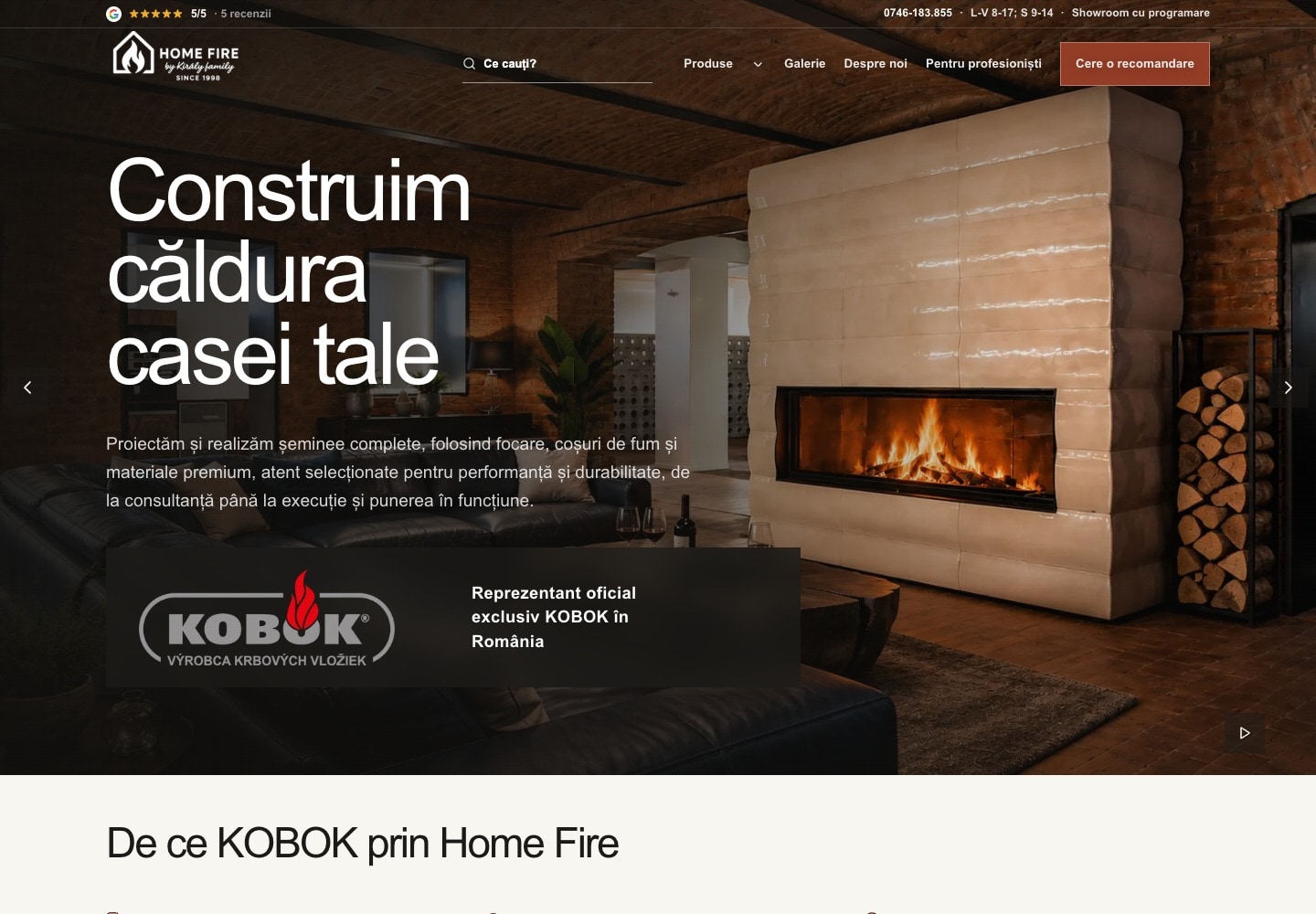
Kaku turned supplier files into a product catalog for Home Fire. Customers can find a fireplace, select its configuration, and carry those choices into a quote request. The owners manage products and content in WordPress.
- Delivered
- 210
- What shipped
- product families in one catalog
- Discipline
- Product Catalog · Website · WordPress CMS
- Status
- Live · ongoing content updates
- Contribution
- Website and interface design · Catalog structure and supplier-data integration · Product configuration and pricing logic · Next.js and WordPress development · Inquiry delivery and production deployment

00 / Project brief
What needed to change
Home Fire needed to present a technical product range to Romanian homeowners and installers. Supplier spreadsheets, PDFs, images, and model codes had to become useful product choices. The early website showed a family price but did not expose its configuration choices or carry selected equipment into an inquiry. The owners also needed to update products and images after launch.
- 01
Turned supplier data into product families, configurations, and compatible equipment
- 02
Organized navigation around product type, glass shape, and opening method
- 03
Carried the selected model, equipment, and estimate into the quote request
- 04
Built owner editing in WordPress and a checked production release process
From product choice to quote request.
The catalog connects product discovery, compatible equipment, and the conversation with Home Fire.
- Delivered01
- 210
- Product families
- One catalog across six brands, from fireplace inserts to chimney systems and materials
- Delivered02
- 4,320
- Commercial records
- Base configurations, options, accessories, and other supplier pricing records
- Status03
- Quote
- Selection kept
- The model, selected equipment, and estimate carry into the inquiry
01 · Catalog structure
Turn supplier files into usable product choices
The source material described products in different ways. KOBOK used dimension and price matrices. BRUNNER used article codes, equipment sets, manuals, and component images. Kaku built a shared structure for product families, base configurations, options, accessories, technical facts, and downloads.
The original supplier relationships remain attached to each choice. Included equipment is kept separate from paid additions. A price or specification without approval stays on request. Private source notes stay outside the public catalog.
- Six brands within one product hierarchy
- Dimensions and equipment linked to the correct model
- Missing source data shown as a request for confirmation
02 · Product discovery
Start with the project, then choose the model
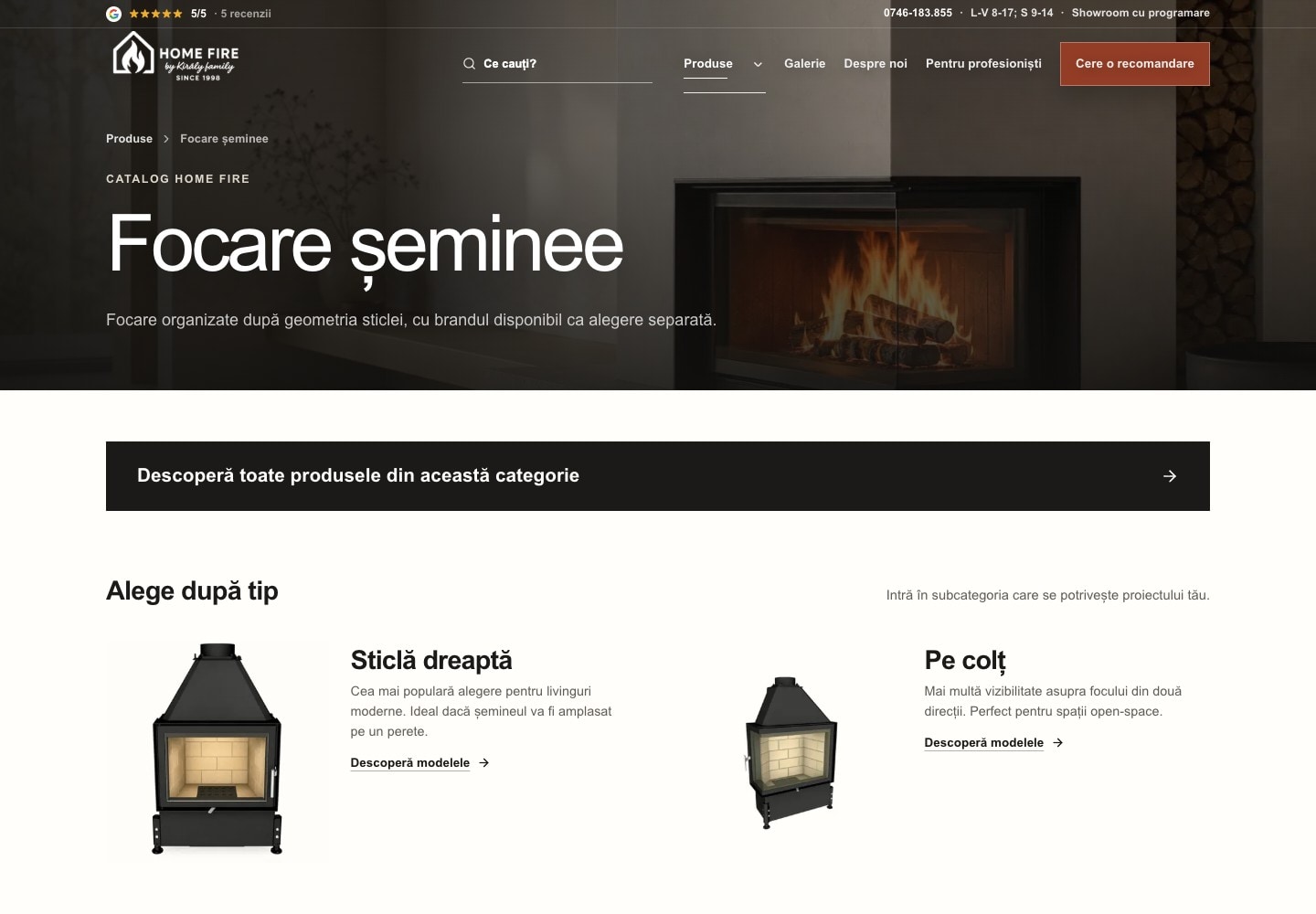
A homeowner may know the desired glass shape or where the fireplace will sit before knowing a manufacturer code. Kaku organized the catalog around product types, glass shapes, and door operation. Brand and technical filters narrow the range after that first choice.
The visual design uses finished installations, warm surfaces, clear headings, and one main action at each step. Product pages keep specifications and manuals close to the selection. Professional inquiries have their own route and fields.
- Category choices before model codes
- Visual choices for side-opening and lift-up doors
- Separate homeowner and professional inquiry paths
03 · Configuration
Make the equipment and price visible together
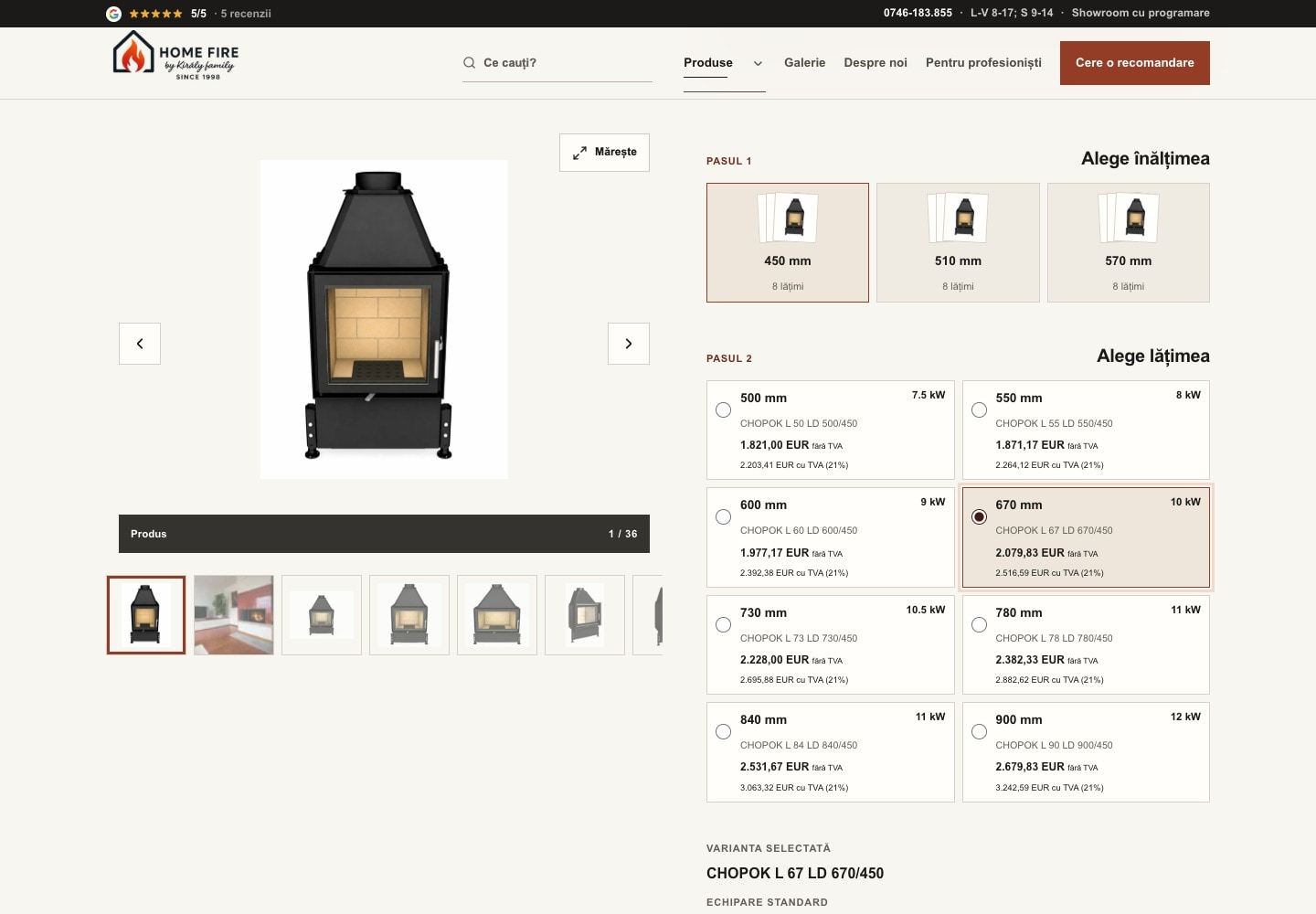
The configurator turns the supplier matrices into a sequence of choices. Customers select dimensions and equipment, see compatible accessories, and review the resulting estimate. Required and excluded options control which combinations are available.
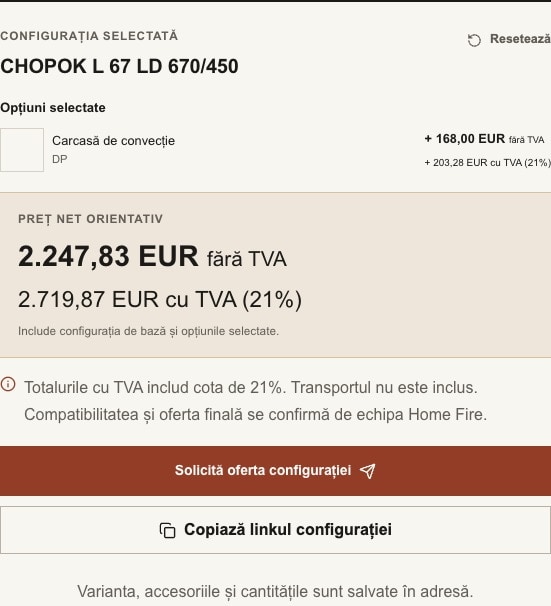
The summary separates the base product from selected additions and shows the tax terms. A saved link keeps the variant, accessories, and quantities. Campaign prices apply only to the exact offered configuration; changing its equipment restores normal pricing.
- Compatibility rules attached to the selected base
- Net and tax-inclusive estimates with delivery terms
- Configuration links that retain the selection
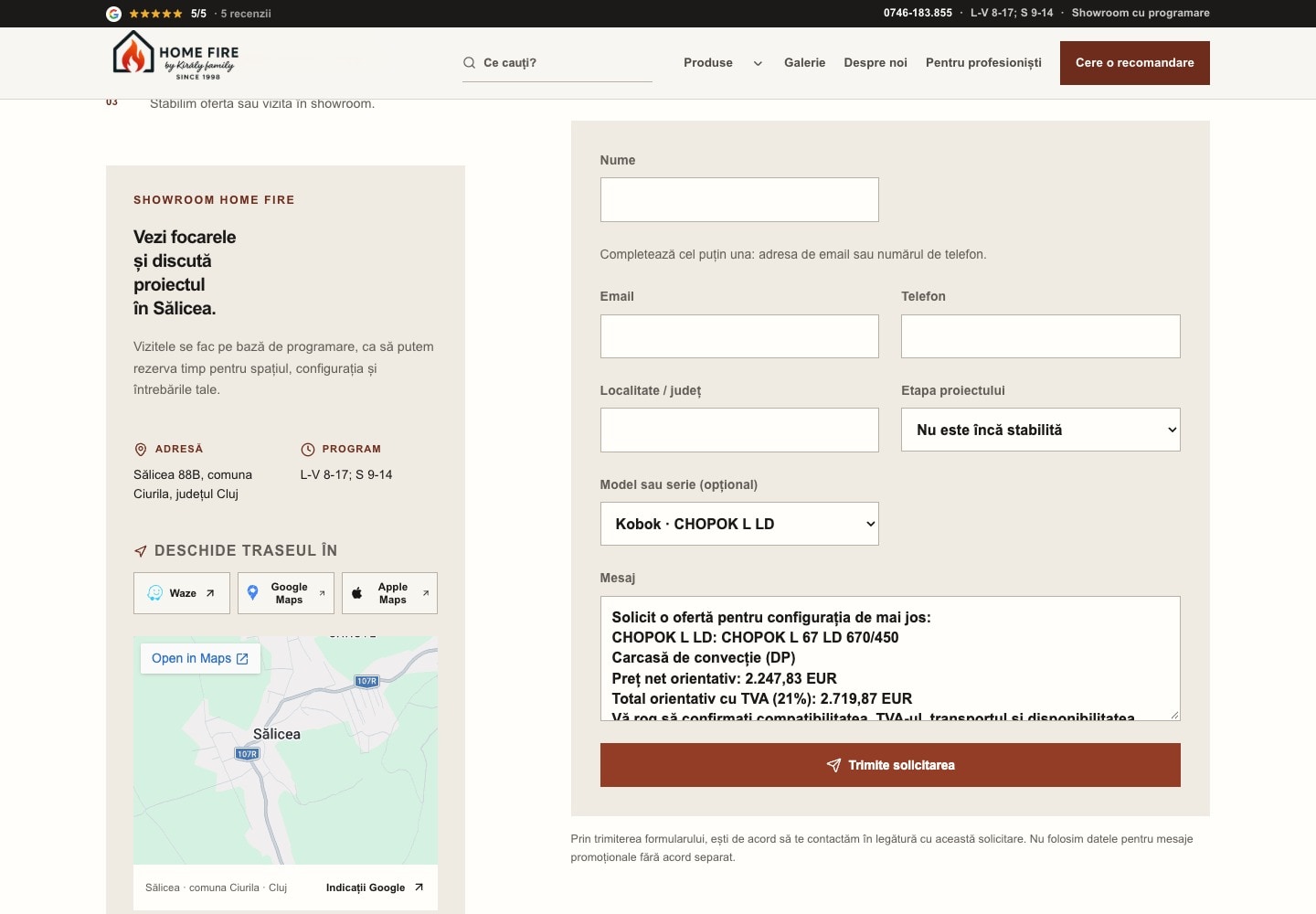
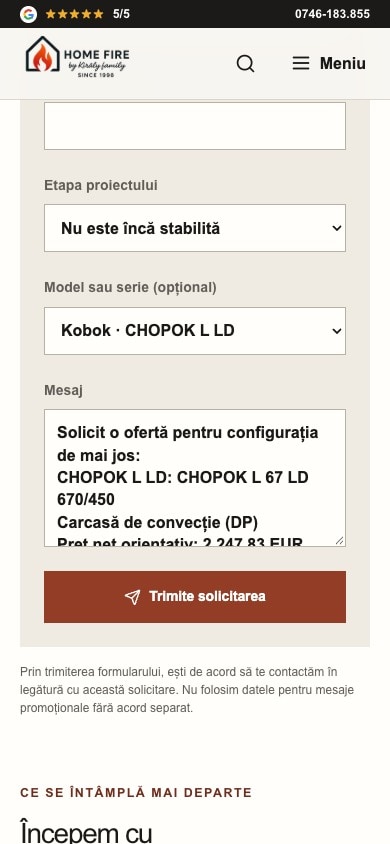
04 · Quote request
Keep the choice when the conversation starts
The quote request opens with the selected model, equipment, and estimate already in the message. Customers can add the location and project details, then return to their saved configuration. They do not need to copy model codes or explain each selection again.
Kaku connected the form to Resend and the owners’ Zoho inbox. A controlled live test confirmed the form response, email delivery, and inbox receipt. Incomplete delivery settings produce an error instead of telling the visitor that an unsent request succeeded.
- Selected equipment carried into the message
- Email or phone accepted as a contact channel
- Final compatibility and offer confirmed by Home Fire
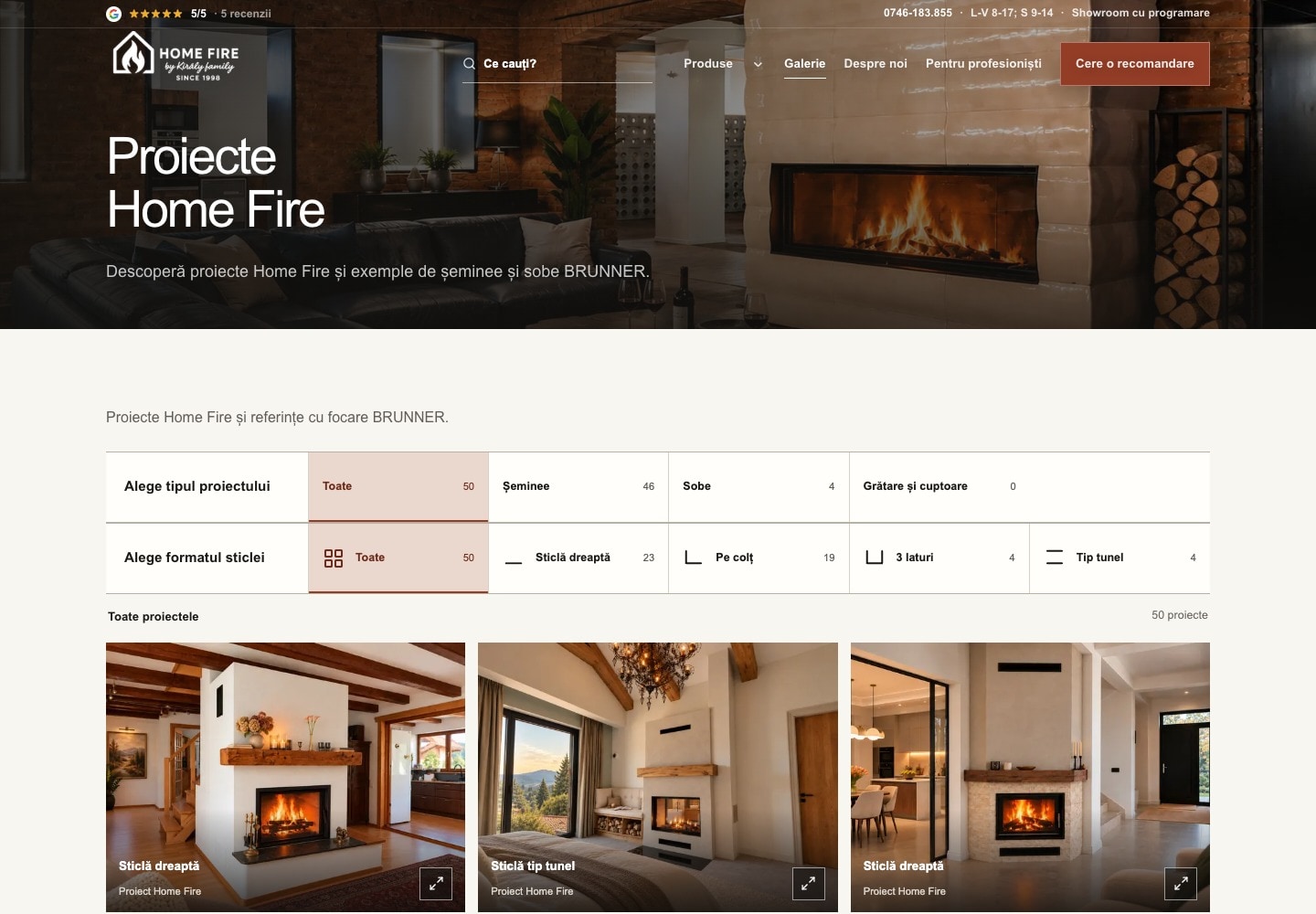
05 · Owner editing
Let the owners maintain the catalog after launch
Kaku built a Home Fire administration area in WordPress for products, categories, equipment, downloads, offers, and site content. Imports preserve supplier identities. Campaign updates stop when owner edits conflict with the source.
Owners can upload an image, select it in a product or page, and save. The frontend reads the new CMS media without another deployment. The gallery keeps Home Fire installations and manufacturer references identified separately. A Hungarian handover guide explains editing, operating limits, and release responsibilities.
- Products and content managed in WordPress
- Normal CMS image changes need no frontend deployment
- Offer dates, availability, and totals controlled by the owners
06 · Production release
Deliver the site and its operating path
The Next.js website runs on the client’s private server, with WordPress behind the public interface. Kaku prepared a separate deployment repository and worked through the Docker release checks. Catalog and image checks run before traffic moves to the new version. CMS credentials stay on the server.
The performance work separated catalog startup from full product data, reduced image transfer, and kept slow sections from blocking the homepage hero. In the recorded slow-mobile preview test, homepage LCP was 2.09 seconds and contact layout shift fell to zero. These are dated lab samples. The release work also added recovery for stalled image requests and checks at responsive image sizes.
- Separate preview and production environments
- Health checks before the production switch
- Deployment and rollback instructions for the server operator
What is live now.
Catalog counts describe the source snapshot checked on 12 October 2026, including records held for review. They are scope figures, not sales results. Screenshots show the live site on that date. Production deployment, CMS image refresh, and inbox delivery have separate verification records from 7–9 October. Performance figures are Chromium preview samples from 6 October at 390 × 844, with 1.6 Mbps download, 150 ms latency, and 4× CPU slowdown. They do not measure production or real-user performance. Revenue and lead-growth data were not supplied. Some exact supplier specifications and BRUNNER images remain owner follow-ups; final acceptance and the service handover remain separate from deployment.
Next case study
Island Importer
Kaku reorganized the store around how people buy linen formalwear, made custom ordering easier to understand, and added Outfit Savings across the collection, product page, and cart.
Read the next case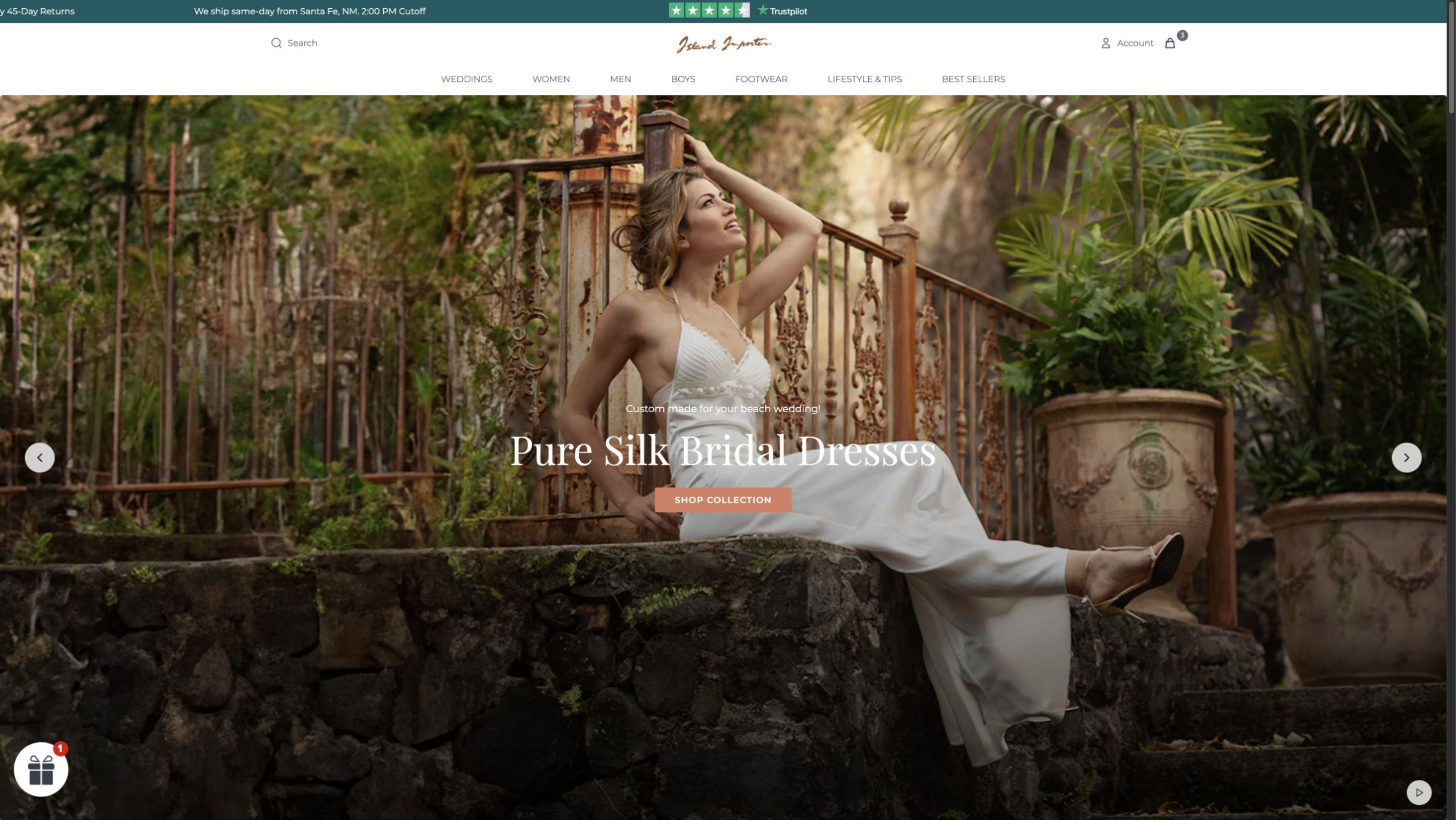 +83.5%total sales between matched 28-day periods
Have a similar problem?
Make a technical product range easier to choose.
Show Csaba your catalog and how customers ask for a quote. He will look at the product structure, selection steps, and owner editing.